BLOG

Exploring XnViewMP
The Free Image Manager Every Creative Should Know
Posted on June 19, 2025, by Peter Loomis
Introduction
In the relentless world of professional creativity, design, photography and digital production, getting—and staying—organized isn’t just a good idea, it’s essential. Whether you’re wrangling hundreds of reference images, managing or processing batches or digging through old moodboards for inspiration, a smart, lightning-fast image viewer and manager isn’t a luxury—it’s a productivity superpower.
That’s precisely where XnViewMP  steps in. As someone constantly seeking out powerful, professional-grade software to enhance my workflow, this unassuming free app has emerged, earning a spot in my daily toolkit. It’s fast, incredibly capable and surprisingly flexible for a tool you might be hearing about for the first time. Let’s change that.

XNViewMP is a versatile, multi-platform image management tool, supporting over 500 image formats
1. What Exactly is XnViewMP? Your New Digital Asset Assistant
XnViewMP (the “MP” stands for Multi-Platform) is the advanced version of the original XnView image viewer. It's also notably versatile, supporting over 500 image formats including JPG, PNG, TIFF, PSD, WebP, HEIC, AVIF and more.
Developed by Pierre-É Gougelet, it runs on Windows, macOS and Linux—ensuring broad accessibility for all creatives. The XnView project began in 1998 and has been in active development for over 25 years, demonstrating both maturity and long-term commitment.
Despite its name, XnViewMP is far more than just a viewer. It functions as a powerful digital asset assistant, handling image organization, rapid batch conversions, metadata editing and basic image adjustments. For solo creators, digital artists or anyone managing folders full of visual assets, XnViewMP is a reliable, efficient tool that consistently delivers. Its global user base and long-term stability speak to its credibility.
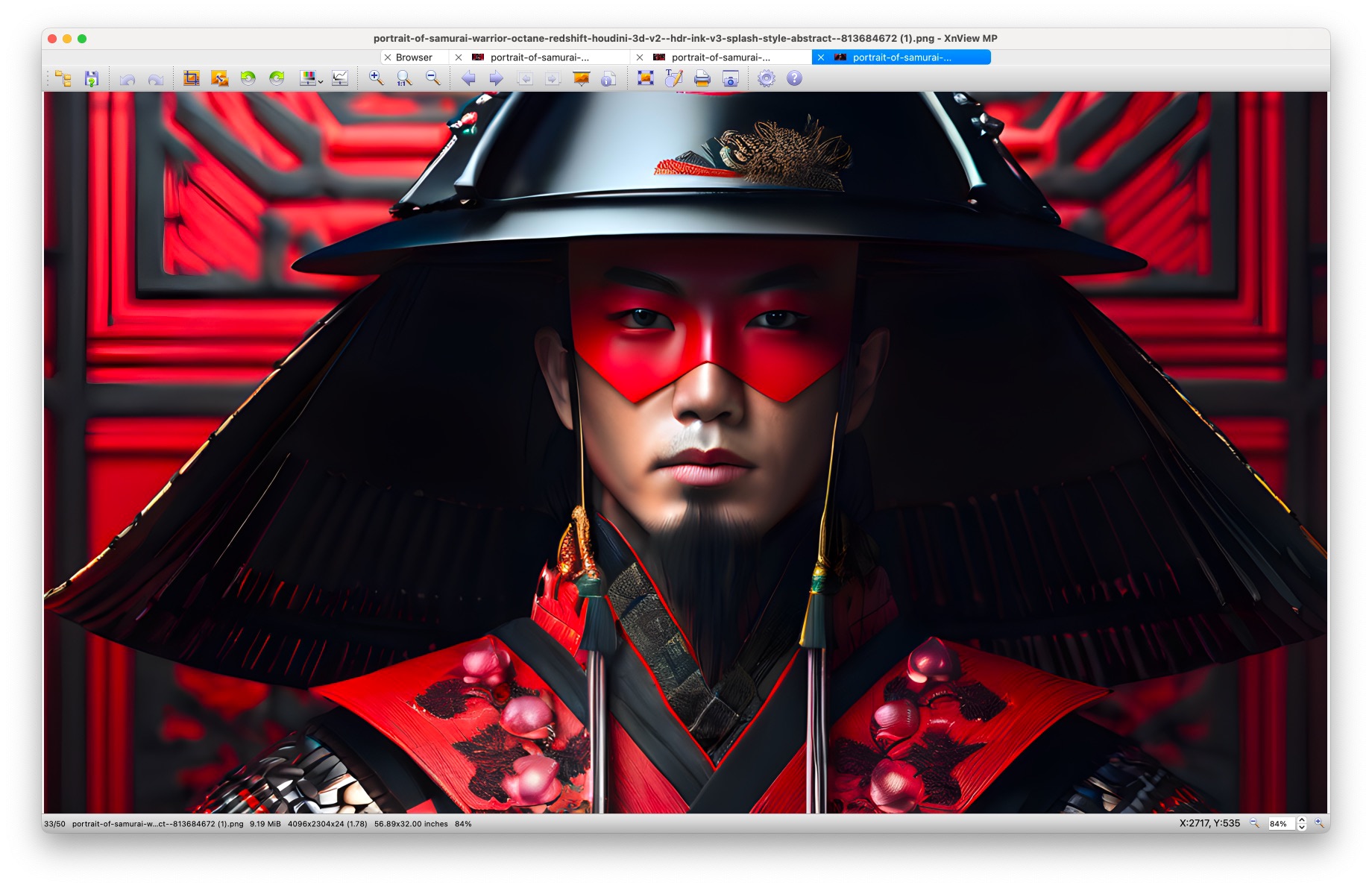
Tabbed browsing enables multiple large format windows to be accessible quickly
2. Unlocking Designer Power: Key Features You’ll Love
Tabbed File Browse: Your Visual Command Center
Imagine a file manager built for visuals, but smarter. Browse multiple folders in tabbed views, preview full-resolution images instantly and toggle between thumbnail, detail, filmstrip or fullscreen modes. Perfect when sifting through stock libraries or client asset folders.
Batch Converting & Renaming: The Time-Saving MVP
Need to resize 50 screenshots for a blog? Convert a folder of TIFFs to JPGs? Rename a batch of AI renders? XnViewMP’s batch tools are fast and flexible, letting you automate repetitive tasks with ease.
Metadata Access: Organize Like a Pro
XnViewMP allows direct editing of EXIF, IPTC and XMP metadata—ideal for photographers or designers managing large asset libraries. Keep versioning and embedded info clean and consistent.

RAW Image Support: See Your Vision Clearly
Support for RAW formats from major camera manufacturers makes it easy to preview and organize high-fidelity captures—no need to load heavy editing software for basic sorting.
Built-in Color Tools: Quick Tweaks on Demand
Basic adjustments like brightness, contrast, gamma and cropping are available right in the viewer—handy for assessing images before handing them off or diving into full post-production.

A designer's tool for index sheets and powerful image management
3. Where XnViewMP Fits into Your Workflow
This tool isn’t a replacement for your creative suite—it’s the connective tissue between it all. I rely on it to do the following:
- Browse and organize asset folders for projects, handoffs and exporting directories
- Compare visual variations side-by-side using tabbed, fullscreen and filmstrip views
- Prep assets for web and presentations via batch renaming, resizing and format conversion
- Preview AI renders or batches from sources like Midjourney, DiffusionBee and stock photo libraries
It has become a quiet workhorse—batch processing, showing me quick previews and keeping my folders sane without opening heavy apps.

I use XnViewMp all the time for image browsing and file management. It has become my go-to browser for large directories of images.
4. Pros & Cons: The Lowdown
Pros:
- Lightweight and responsive: Quick to launch, fast to navigate
- Supports 500+ image formats: Including JPEG, PNG, TIFF, PSD, WebP, AVIF, HEIC and OpenEXR
- Free for personal use: For commercial use, affordable licenses are available
- No ads or bloatware: Clean installation, minimal overhead
- Customizable interface: Tailor layout, shortcuts and toolbar preferences
Cons:
- UI is somewhat dated: Prioritizes function over visual polish
- No advanced DAM features: Not built for enterprise-level version control or permissions
- No built-in cloud sync: Primarily a desktop app with no native collaboration layer
Despite those limits—they're not really 'cons' per se — it’s still a powerful asset for individuals or small teams who need power and speed over cloud integration.


